Replacing the thermostat in a Bunn coffee maker is an essential maintenance task that ensures consistent brewing temperatures and optimal performance. Over time, thermostats can wear out or become inaccurate, leading to issues such as underheated water or inconsistent coffee quality. Performing a thermostat replacement may seem daunting at first, but with the right tools and careful attention to detail, it can be accomplished efficiently by most users familiar with basic appliance repairs.
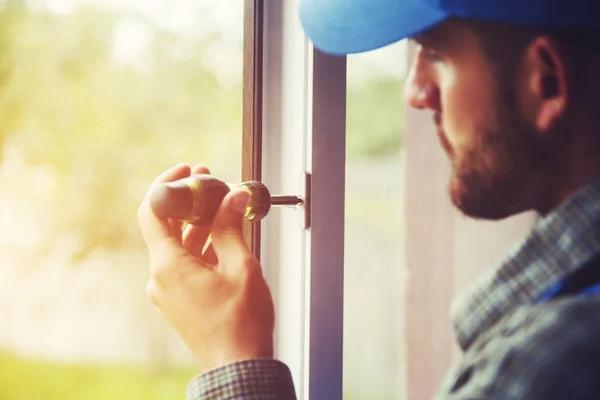
Begin by unplugging the coffee maker from its power source to eliminate any risk of electrical shock. Allow the machine to cool down completely if it was recently used since internal components might be hot. Once safe, remove the outer casing carefully using a screwdriver appropriate for your model’s screws. Keep track of all screws and parts removed during disassembly so reassembly will be straightforward later on. The thermostat is usually located near the heating element inside the brew unit or water reservoir section.
Before detaching the old thermostat, take note of its orientation and wiring connections; snapping a photo can help ensure correct reinstallation. Thermostats are typically connected via spade terminals or wires secured with small clips. Gently disconnect these wires without pulling on them directly to avoid damage. After removing mounting screws or clips holding the thermostat in place, extract it from its housing.
Install the new thermostat by positioning it exactly where the old one was placed, ensuring proper contact with any heat sensors or metal plates designed for temperature detection. Reattach mounting hardware firmly but avoid over-tightening which could damage components. Reconnect all wiring according to your reference photo or notes taken earlier; maintaining correct polarity and secure connections is crucial for reliable operation.
Once everything is secured inside, replace the outer casing carefully and tighten all screws back into their original positions. Plug in your Bunn coffee maker and run a test cycle without coffee grounds to verify that water heats up properly within expected time frames. Observe whether there are any unusual noises or error indicators that might suggest improper installation.
Regularly checking and replacing faulty thermostats extends your machine’s lifespan while maintaining consistent brewing standards essential for good coffee flavor extraction. If uncertain about performing this task safely yourself, consulting professional Alford Mechanical heater repair services specializing in commercial-grade equipment like Bunn machines is advisable to prevent accidental damage or injury during repairs.
By following these steps attentively, you ensure your Bunn coffee maker continues delivering reliable performance through precise temperature control achieved via effective thermostat replacement maintenance practices tailored specifically for this widely used brand of commercial brewers found both at home and workplace settings alike.
Alford Mechanical
495 Main St, Bunn, NC 27508
919-246-5265
About the Author